
Should I Put a Limiter on My Mix Bus?
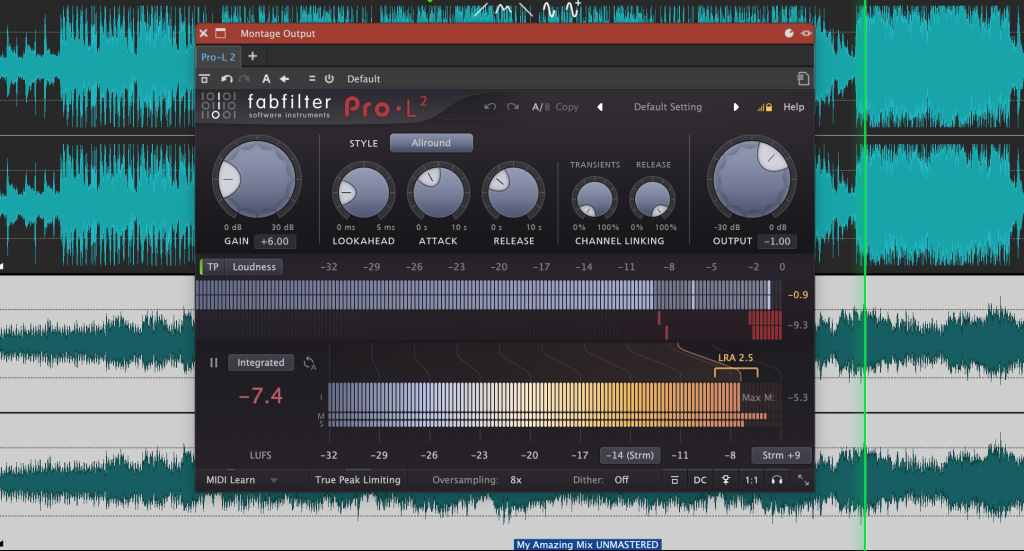
This is one of the most common questions I get from clients before they send mixes for mastering. It’s an important one because a limiter can have a big impact on how a mix behaves once it hits the mastering stage.
Why Mixers Use Limiters
Limiters are useful tools. They can help you get a feel for how your track will sound when it’s louder and more “finished.” They can also be helpful when sending a mix to a client who expects it to sound roughly as loud as a commercial release. Nobody wants to get a reference mix that feels quiet or flat compared to the playlist they’ve just been listening to.
So if a limiter helps you mix, or helps your client understand where the track is heading, by all means use one. The issue comes when that same limited mix is the version you send for mastering.
Why You Should Remove It Before Mastering
When it comes to exporting your final mix for mastering, it’s best to remove the limiter. Limiters change the shape of the peaks and reduce the dynamic range. In other words, they flatten things that I need to work with. Even if your limiter isn’t clipping, it’s still reshaping the transient detail and making the master less flexible.
Mastering works best when the mix has some breathing room. If I receive a mix that’s already been pushed too hard, it limits (no pun intended) what I can do to enhance punch, width, and tone.
Check Your Levels After You Remove It
If you take the limiter off, always check your mix levels. Without that safety net, some peaks might suddenly jump above 0dB and cause clipping. Pull your mix bus down so that it doesn’t exceed 0dB at any point. You can always leave a little headroom to be on the safe side. Don’t worry about exact numbers. As long as nothing’s clipping, you’re fine.
Send Two Versions If You’re Unsure
If you love what your limiter is doing, send both versions:
- One with the limiter, as a reference for the sound and energy you’re going for.
- One without, as the clean version for mastering.
That way I can take the limiter’s character into account while still working from a full-quality, unclipped mix.
In Short
Use a limiter while mixing if it helps you get the right feel or if you’re sending a loud reference to a client. Just remember to remove it (and check your levels) before sending the mix for mastering. That gives your mastering engineer full control to bring the final polish, balance, and loudness to life.